梶研 [mocopi と action slam2]
2024年01月23日
mocopi と action slam2
出席率
- 3年セミナー:??%
スケジュール
短期的な予定
- [ ] mocopi と action slam2
- [ ] シーンとランドマークを決める(~2月上旬)
- [ ] ?
- [ ] 論文書く
- [ ] 発表
長期的な予定
- ~?月 シーン検知?をする
- ~?月 論文を書く
- ~?月 論文発表したい
進捗
センシングした
1. mocopiセンシング 本棚&商店&冷蔵庫&椅子 @梶研
<iframe width="1184" height="688" src="https://www.youtube.com/embed/NenfpX522JA" title="mocopiセンシング 本棚&商店&冷蔵庫&椅子 @梶研" frameborder="0" allow="accelerometer; autoplay; clipboard-write; encrypted-media; gyroscope; picture-in-picture; web-share" allowfullscreen></iframe>
2. mocopiセンシング 商店漁り&お湯汲み&流す @梶研
<iframe width="1184" height="688" src="https://www.youtube.com/embed/C72YvXrO-jw" title="mocopiセンシング 商店漁り&お湯汲み&流す @梶研" frameborder="0" allow="accelerometer; autoplay; clipboard-write; encrypted-media; gyroscope; picture-in-picture; web-share" allowfullscreen></iframe>
3. mocopiセンシング 冷蔵庫&蛇口捻り@梶研
<iframe width="1184" height="688" src="https://www.youtube.com/embed/l62hsxxlxqs" title="mocopiセンシング 冷蔵庫&蛇口捻り@梶研" frameborder="0" allow="accelerometer; autoplay; clipboard-write; encrypted-media; gyroscope; picture-in-picture; web-share" allowfullscreen></iframe>
4. mocopiセンシング ゴミ捨て @梶研(4号館別館)
<iframe width="1184" height="688" src="https://www.youtube.com/embed/w5l-JwpaJ2U" title="mocopiセンシング ゴミ捨て @梶研(4号館別館)" frameborder="0" allow="accelerometer; autoplay; clipboard-write; encrypted-media; gyroscope; picture-in-picture; web-share" allowfullscreen></iframe>
5. mocopiセンシング 梶研戸締り @梶研
<iframe width="1184" height="688" src="https://www.youtube.com/embed/TGhhPWneJvA" title="mocopiセンシング 梶研戸締り @梶研" frameborder="0" allow="accelerometer; autoplay; clipboard-write; encrypted-media; gyroscope; picture-in-picture; web-share" allowfullscreen></iframe>
6. mocopiセンシング 車に乗る @第2駐車場
<iframe width="1184" height="688" src="https://www.youtube.com/embed/TGhhPWneJvA" title="mocopiセンシング 梶研戸締り @梶研" frameborder="0" allow="accelerometer; autoplay; clipboard-write; encrypted-media; gyroscope; picture-in-picture; web-share" allowfullscreen></iframe>
ラベリングをする
一旦ラベリングを楽にする関数を作った
<details>
<summary>関数のソースコード</summary>
def plot_joint(bvhp, joint, xlim=(0, 0), ylim=(0, 0), figsize=(12, 3), labels=None, is_position=False):
    df = bvhp.get_joint_motion_df(joint, mode='relative')

    fig = plt.figure(figsize=figsize)
    gs = GridSpec(1, 2, width_ratios=[11, 1], wspace=0.5)
    ax1 = fig.add_subplot(gs[0])
    ax2 = fig.add_subplot(gs[1])

    joint_name = to_joint_name(joint)
    ax1.set_title(f'{joint_name} の位置' if is_position else f'{joint_name} の回転')
    ax1.set_xlabel('time [s]')
    ax1.set_ylabel('rotation [deg]' if is_position else 'position [mm]')
    ax1.grid(color='k', linestyle='dotted', linewidth=1, alpha=0.5)

    if xlim[0] < xlim[1]:
        ax1.set_xlim(xlim[0], xlim[1])

    if ylim[0] < ylim[1]:
        ax1.set_ylim(ylim[0], ylim[1])

    r_heads = ['Xrotation', 'Yrotation', 'Zrotation']
    p_heads = ['Xposition', 'Yposition', 'Zposition']
    heads = p_heads if is_position else r_heads
    for head in heads:
        ax1.plot(df['time'], df[head], label=head)

    colors = ['mediumblue', 'orange', 'green', 'red', 'purple', 'gray', 'olive', 'cyan']
    if labels:
        for i, l in enumerate(labels):
            color = colors[i % len(colors)]
            ax2.scatter([], [], color=color, label=l)

            for s, e in labels[l]:
                ax1.axvspan(s, e, color=color, alpha=0.2)


    ax1.legend()
    legend = ax2.legend()
    ax2.axis('off')
    for handle in legend.legend_handles:
        handle.set_alpha(0.5)
    plt.show()
</details>
bvhp = BVHparser('./logs/1.bvh')

labels1 = {
    '本を取る': [
        [20, 25],
        [35, 40],
    ],
    '本を置く': [
        [29, 32],
    ],
...
}

for j in bvhp.get_joints():
    if j[0] == '_':
        continue

    plot_joint(bvhp, j, (0, 150), (0, 0), labels=labels1)
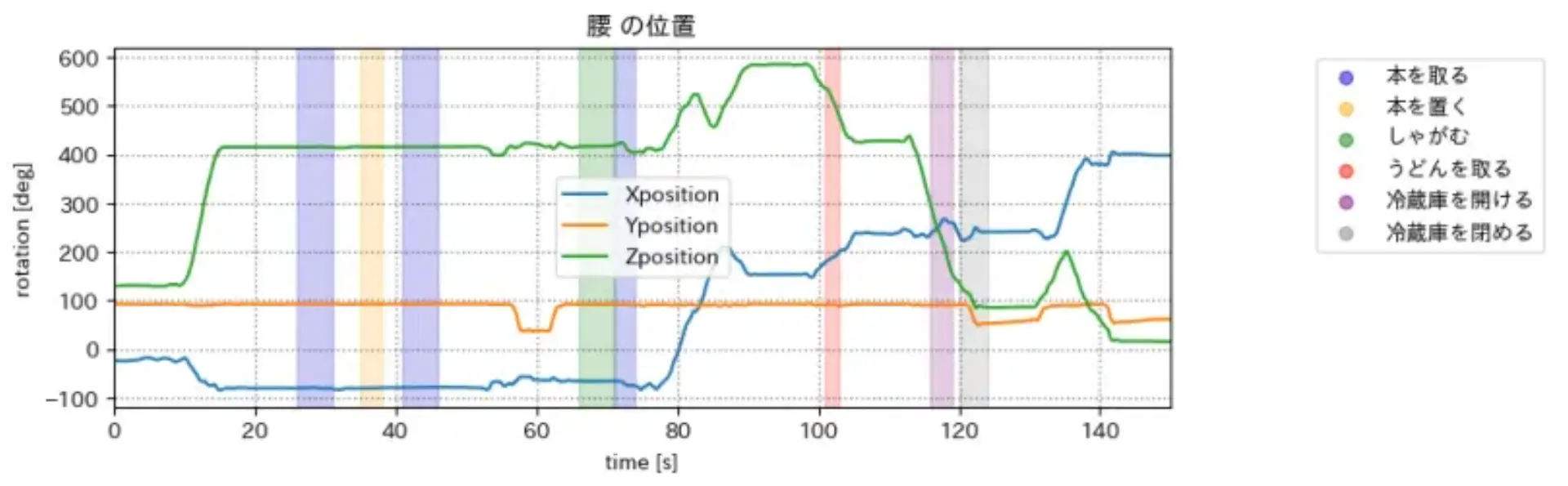
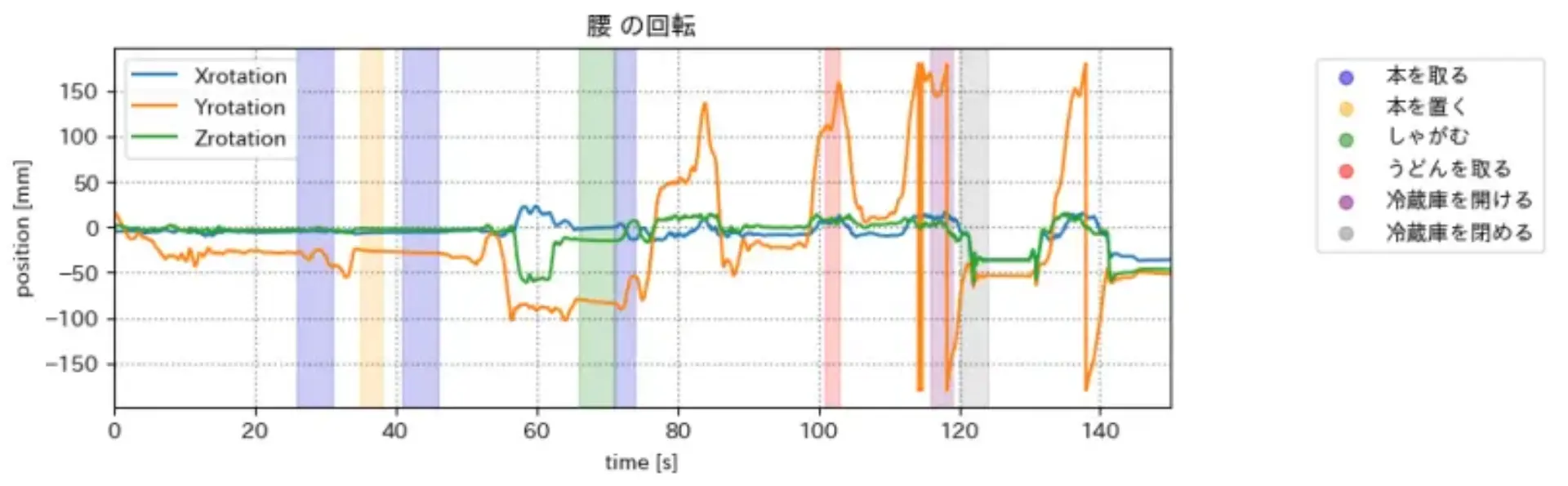
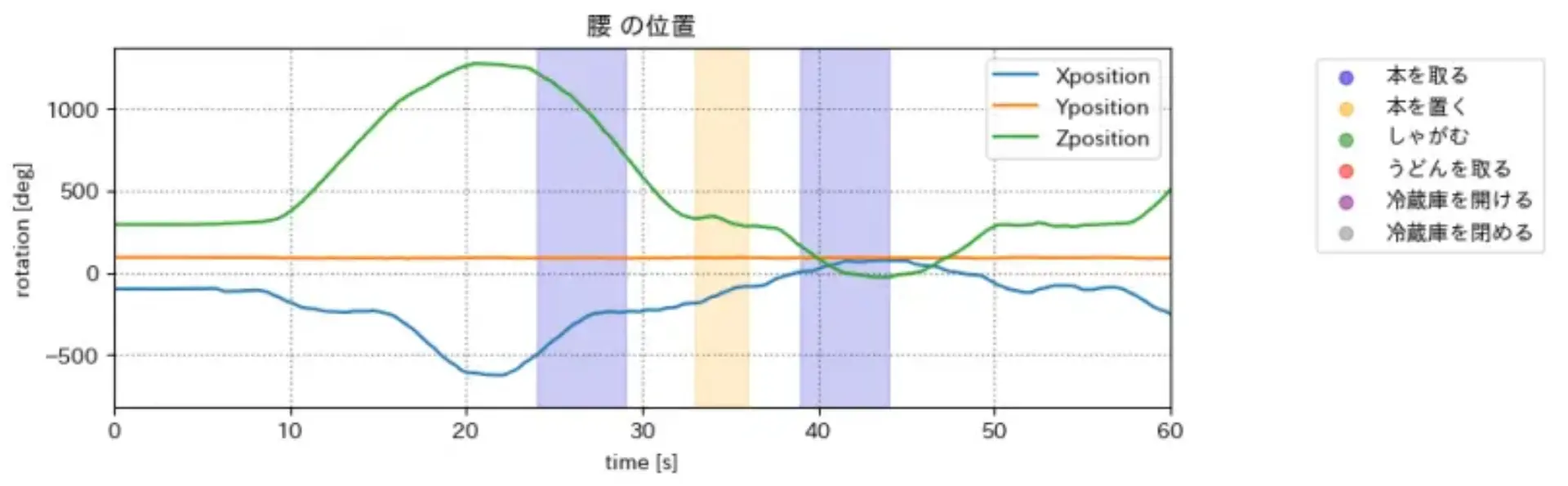
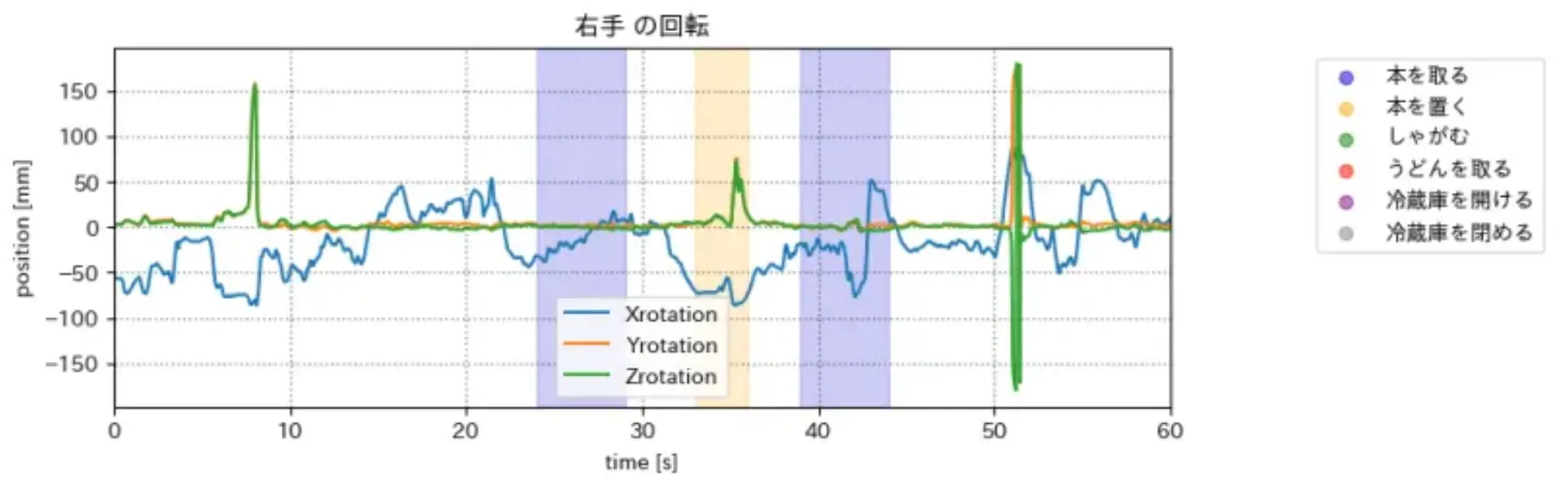
グラフたち
項目が多く、ランドマークの探し方がわからない
全ての項目を使うのは不可能?
本棚&商店&冷蔵庫&椅子 のグラフ(一部の関節のみ)
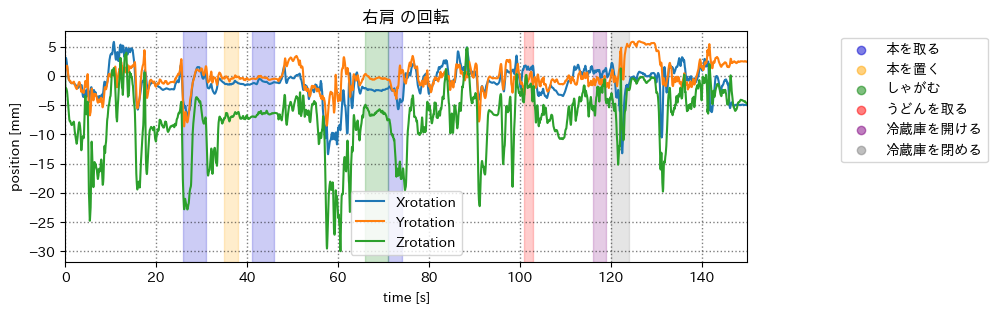
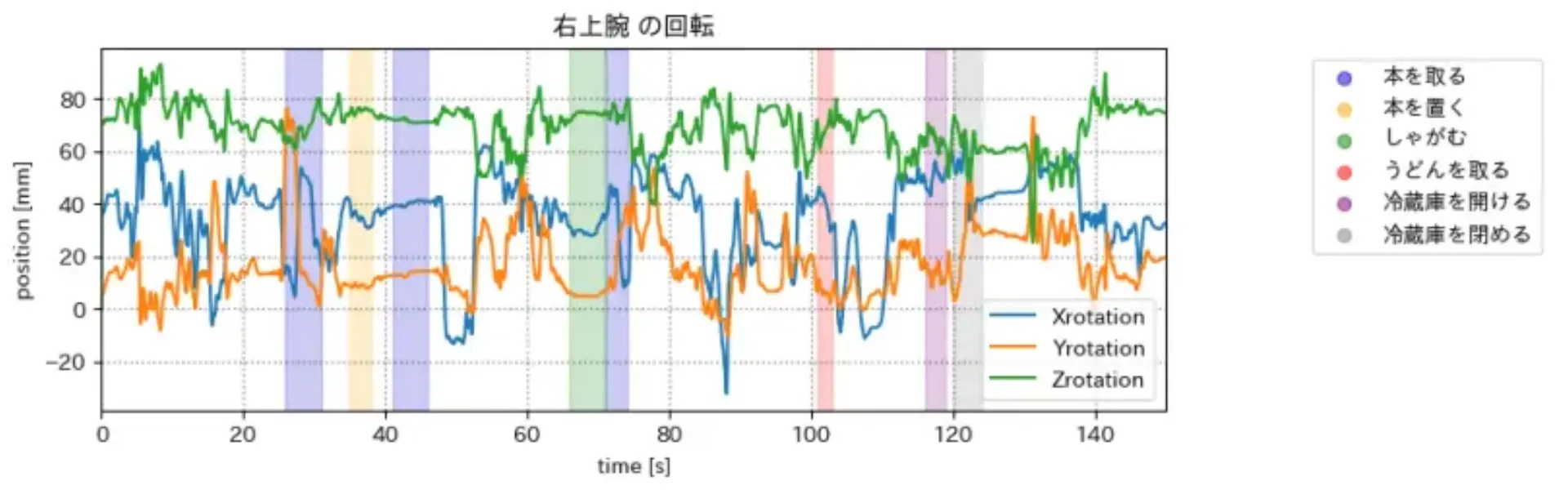
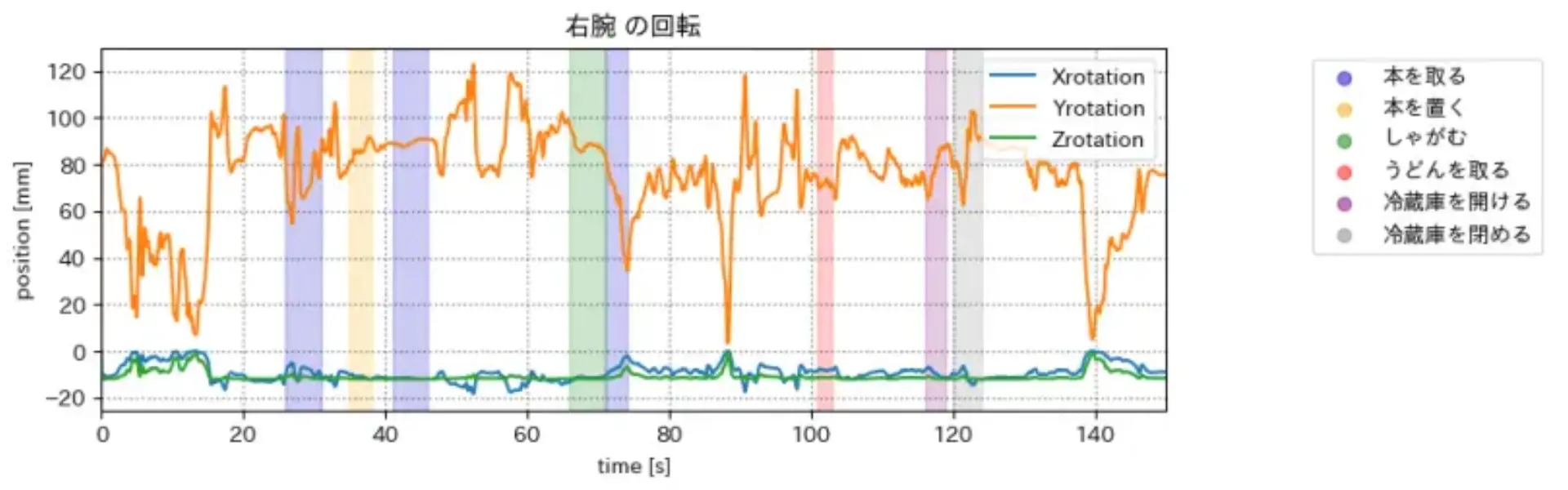
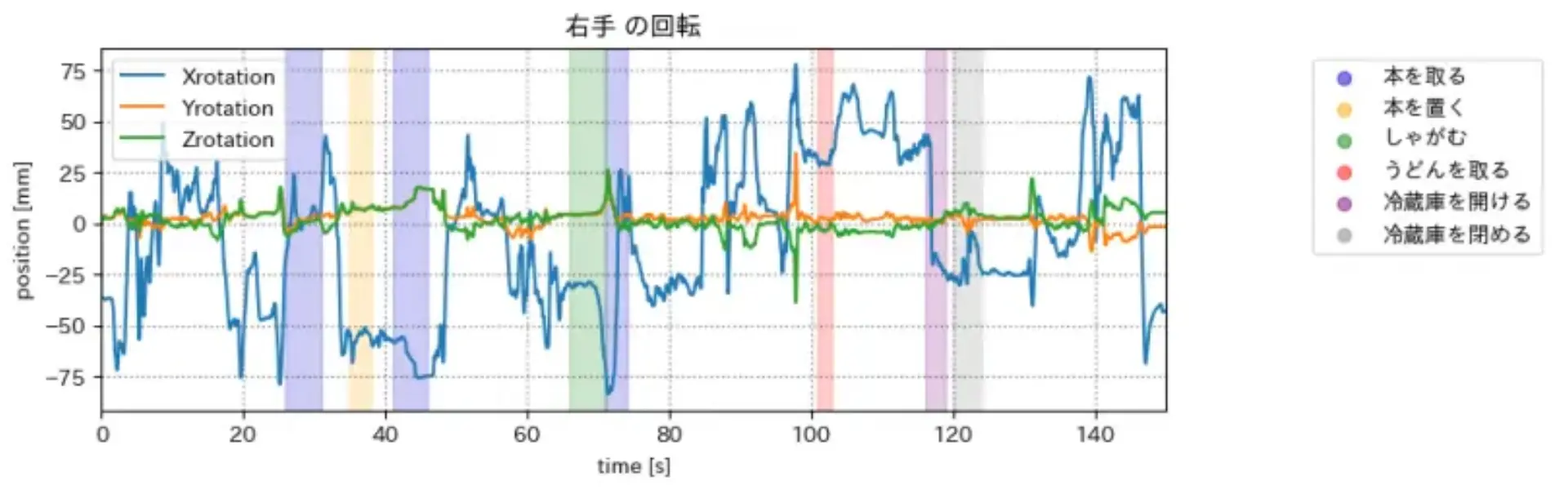
冷蔵庫開け閉め のグラフ(一部の関節のみ)
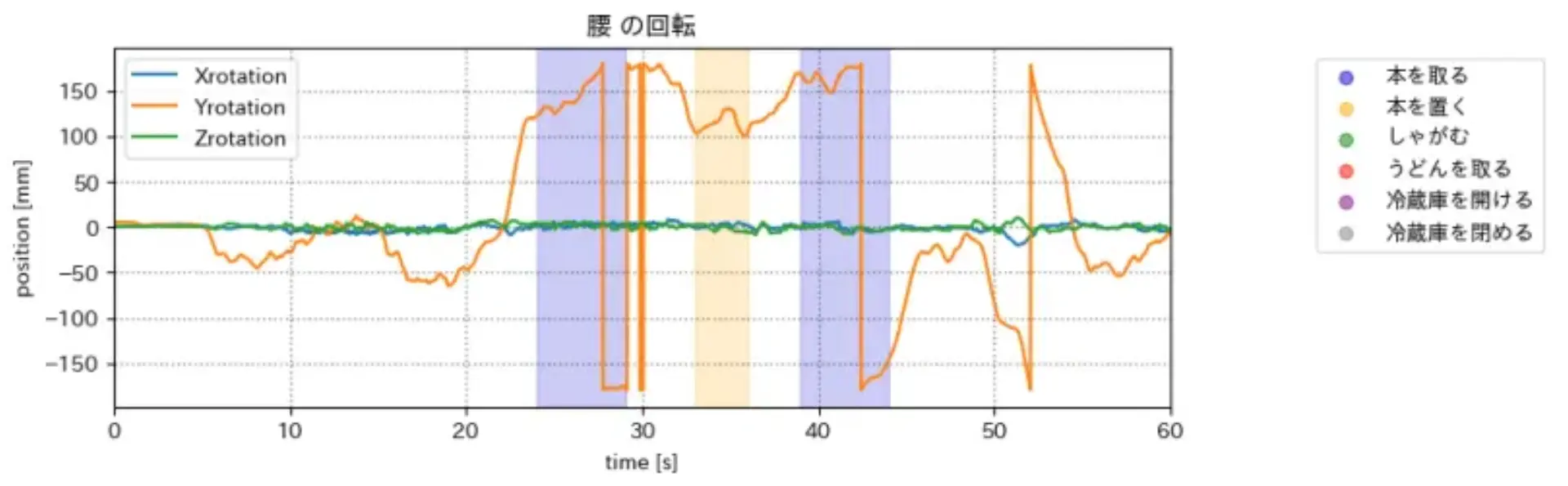
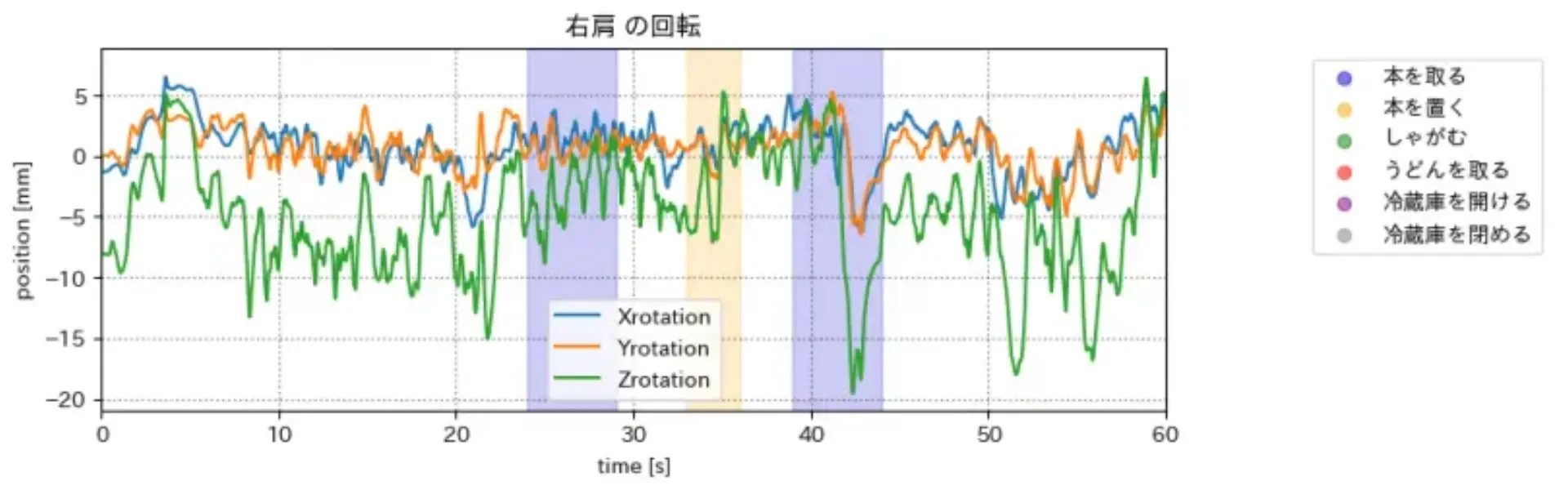
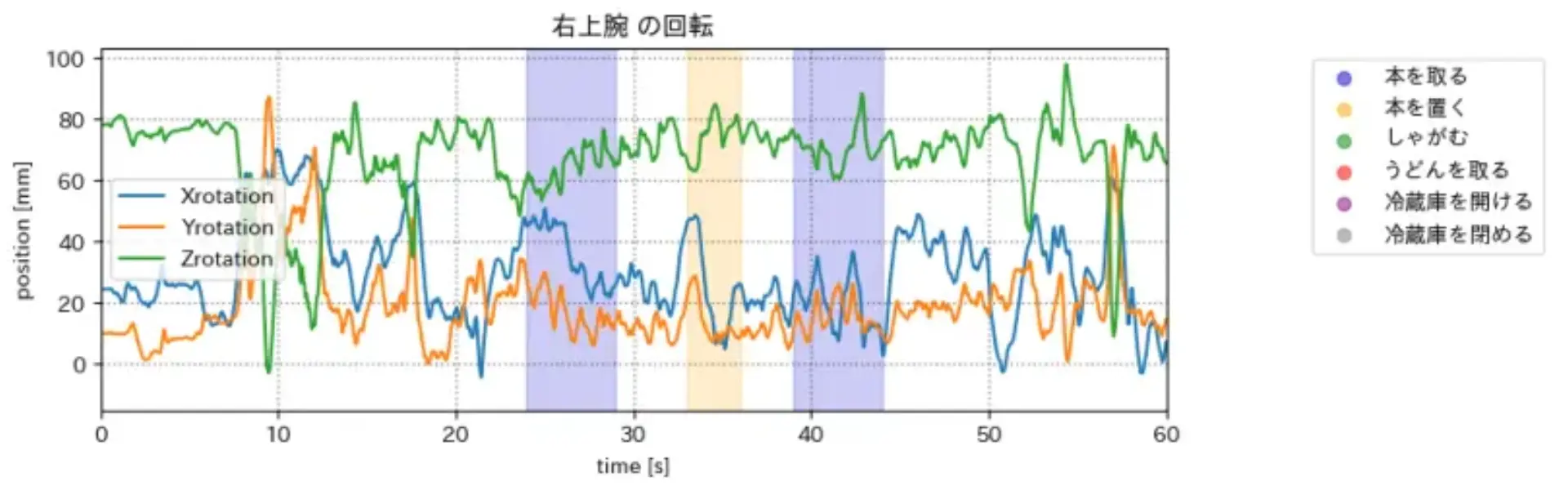
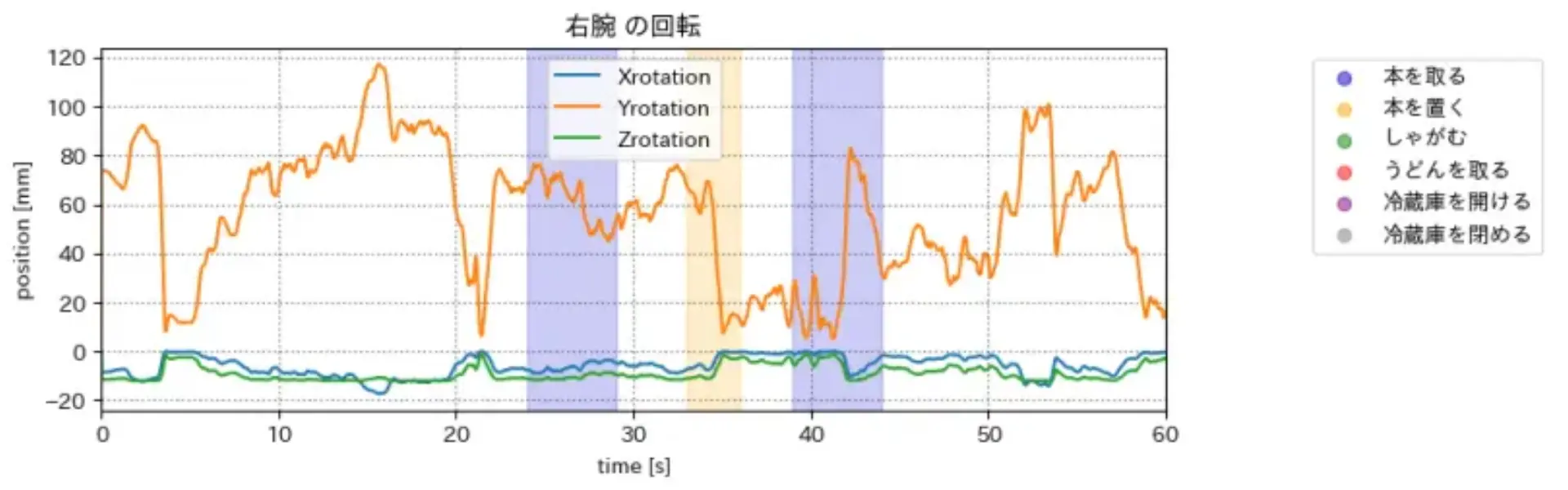
余談
マップから城を探せるwebアプリを作った(webプロ課題)
<iframe src="https://castles.satooru.dev" width="100%" height="600"></iframe>
主に使ったライブラリ(フレームワーク)
- フロント
- Next.js
- LeafLet
- バック
- Hono
- Cloudflare D1
- スクレイピング
- BeautifulSoup
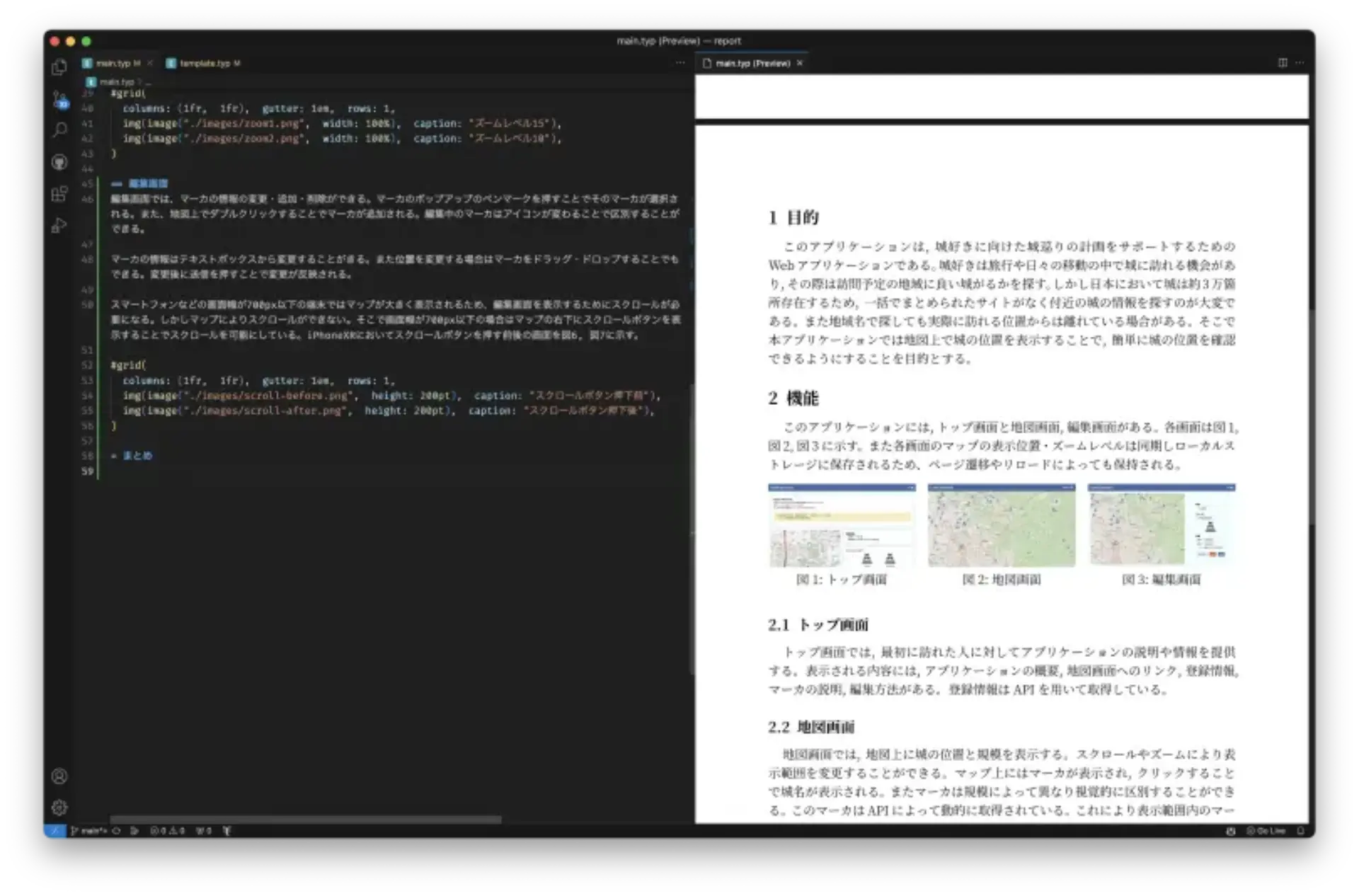
Typst を使ってみた(webプロ課題)
Typst: Tex よりも書きやすく軽く環境構築しやすい組版処理システム
マークダウン x CSS みたいな感覚でかけて幸せ